
Wild Life Trivia Config
Configuring Tasks
Config GUI
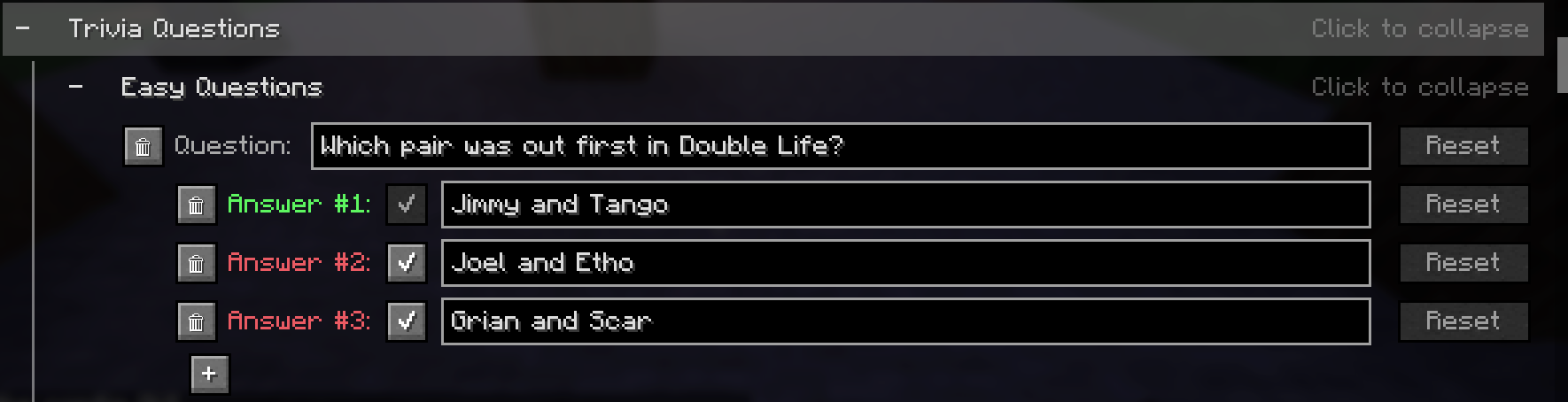
This is the recommended way to edit trivia questions.
In the Config, you can find the Trivia category under Season Specific Settings, where you can edit, add and remove trivia questions and answers.
Config Files
If you prefer a normal text editor interface over the config GUI, trivia questions can also be changed in the following files, but make sure you follow the JSON syntax:
config/lifeseries/wildlife/easy-trivia.jsonconfig/lifeseries/wildlife/hard-trivia.jsonconfig/lifeseries/wildlife/red-trivia.json
Answer Options
You can add any amount of possible answer options to each trivia question, but only one of them can be marked as the correct answer.
Configuring Trivia Rewards
Trivia Rewards are stored as a minecraft loot table, and can be customized in the config file:
config/lifeseries/wildlife/trivia_reward_loottable_<version>.json
<version> is the major minecraft version you are using, for example 1.21.9.
TIP
I recommend using a loot table editor, such as the Misode Loot Table Generator, to modify the loot table.
Important
Make sure you follow the existing syntax of the JSON files, or it will not work.
Trivia Skins
To create your custom trivia bot textures, you must first open the trivia bot model (found in ./config/lifeseries/wildlife/triviaskins/trivia.bbmodel) in Blockbench. 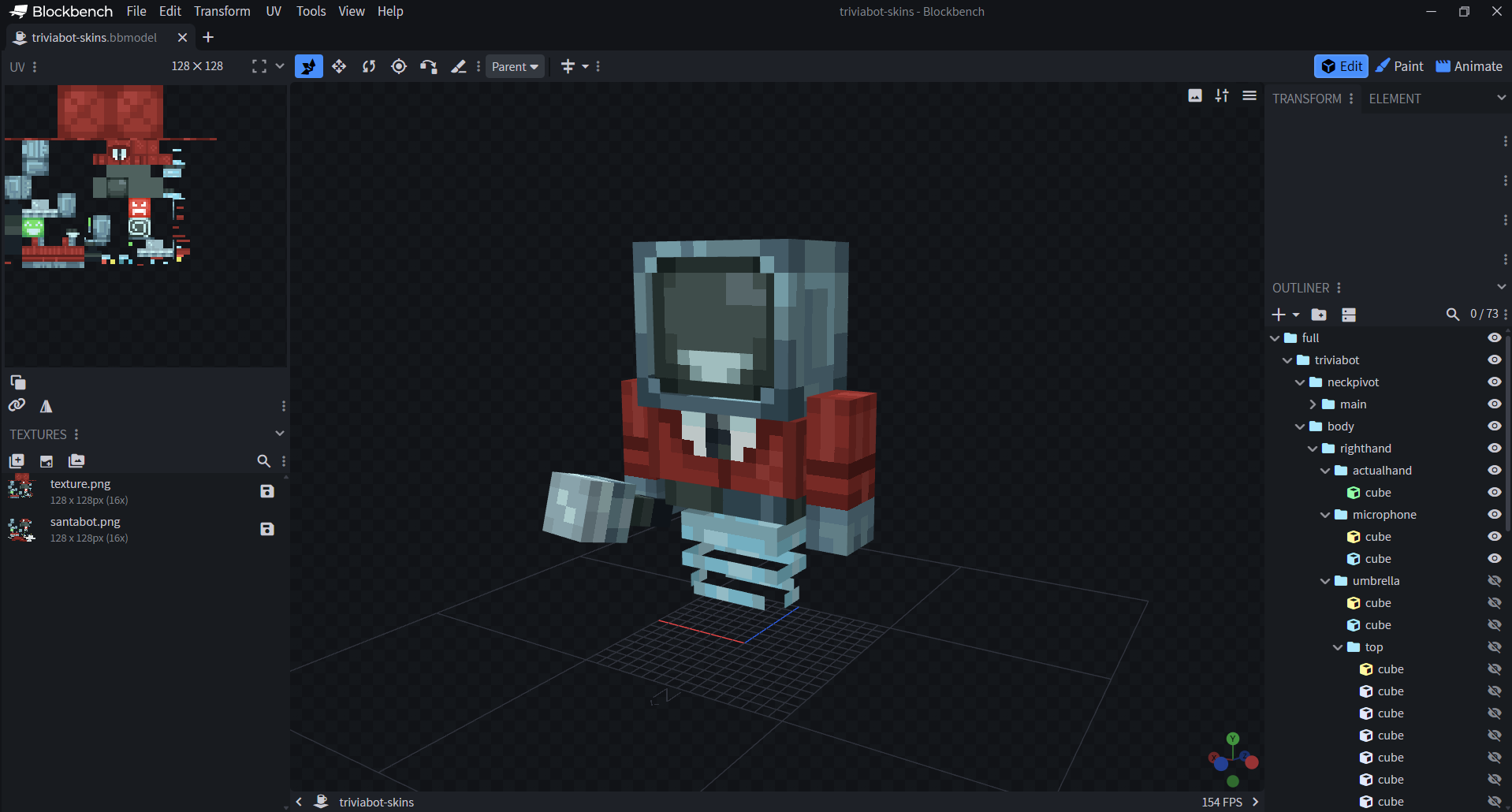
Then, in the paint tab, change the trivia bot skin however you want. 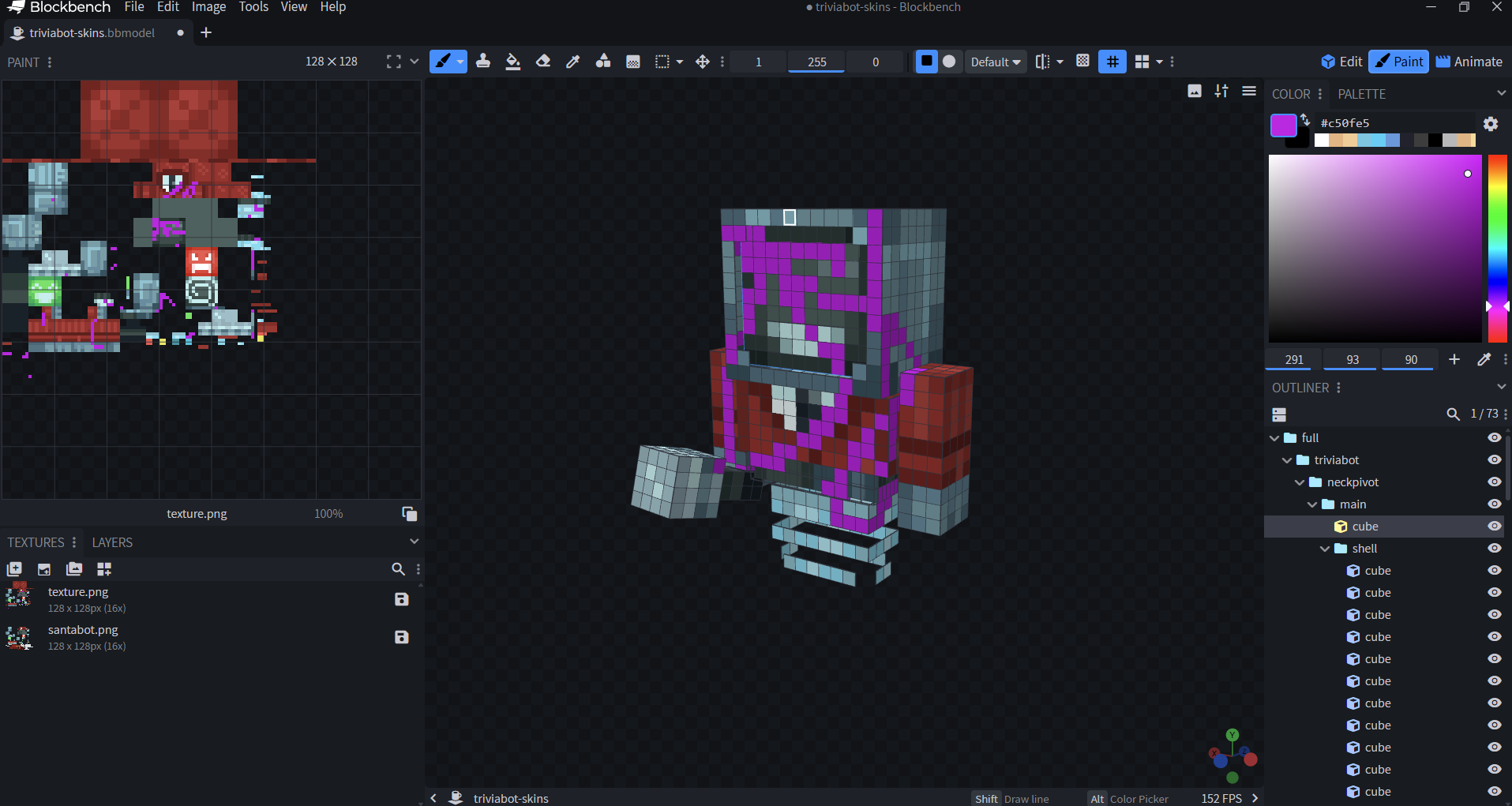
Then, after you paint the skin however you wish, you need to save the skin. 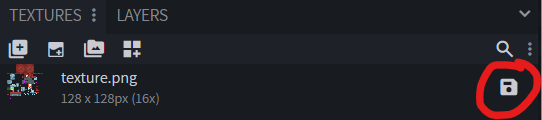
Change the skin file name to the username of the player it belongs to. Then, put it in the trivia skins config folder (./config/lifeseries/wildlife/triviaskins/) on the server.
Example
So for example, since my minecraft username is Mat0u5, the file would be located at ./config/lifeseries/wildlife/triviaskins/Mat0u5.png
Then, run /trivia textures reload, and it should be added.
Related Pages
- Config Overview - All available settings.