
Secret Life Tasks Config
Configuring Tasks
Config GUI
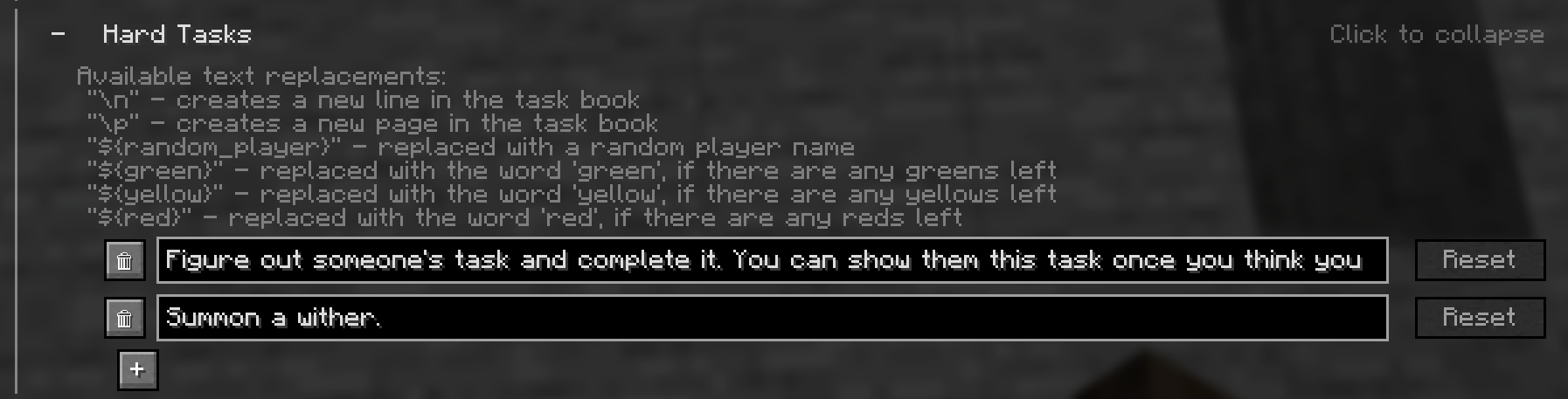
This is the recommended way to edit tasks.
In the Config, you can find the Tasks category under Season Specific Settings, where you can edit, add and remove tasks.
Config Files
If you prefer a normal text editor interface over the config GUI, the tasks can also be changed in the following files, but make sure you follow the JSON syntax:
config/lifeseries/secretlife/easy_tasks.jsonconfig/lifeseries/secretlife/hard_tasks.jsonconfig/lifeseries/secretlife/red_tasks.json
Configuring Task Rewards
Task Rewards are stored as a minecraft loot table, and can be customized in the config file:
config/lifeseries/secretlife/task_reward_loottable_<version>.json
<version> is the major minecraft version you are using, for example 1.21.9.
TIP
I recommend using a loot table editor, such as the Misode Loot Table Generator, to modify the loot table.
Important
Make sure you follow the existing syntax of the JSON files, or it will not work.
Loot tables per task type
You can also have different rewards for different task types.
Easy tasks are in this loot table (as mentioned above): config/lifeseries/secretlife/task_reward_loottable_<version>.json
Hard tasks are in this loot table: config/lifeseries/secretlife/task_reward_loottable_<version>_hard.json
Red tasks are in this loot table: config/lifeseries/secretlife/task_reward_loottable_<version>_red.json
INFO
If their specific loot tables are not present, hard and red tasks will use the same loot table as the easy tasks.
Important
Loot tables for the hard and red tasks are NOT automatically created, you have to copy and rename the easy task loot table manually. (This is because most users want to modify the loot table for all tasks)
Related Pages
- Config Overview - All available settings.